
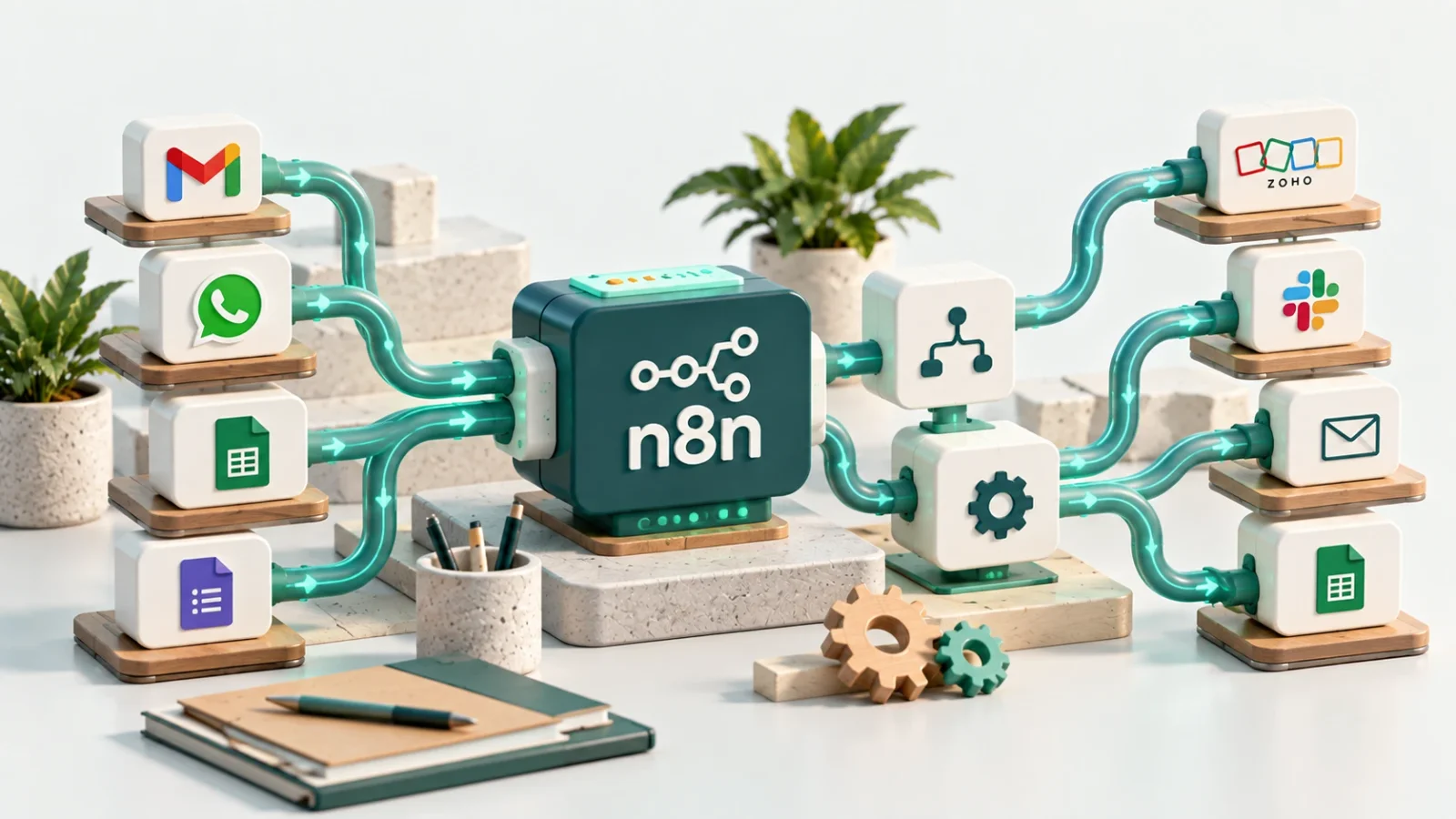
Small business owners hear the name n8n when they're looking for a way to connect the systems they already use, without quite knowing what the tool does or whether it even fits a business their size. n8n is a visual automation tool that connects different apps and services, where every process is built from boxes ("nodes") that link together on one screen, without writing code for most tasks.
What n8n Actually Does
A process in n8n starts with a "trigger," the event that sets everything off: a new email landing in an inbox, a new row added to a spreadsheet, or a form submission coming in. From the trigger, the process moves through a chain of "actions": pulling data, checking a condition, sending it to another system, creating a new CRM record, or notifying a team. Each of these steps is its own box on the canvas, and you can see exactly what data moves from box to box while the process runs.
The "visual" part isn't just cosmetic. Whoever builds the process sees the entire path at once, including conditional branches (if the inquiry's topic is support, go one way, if it's sales, go another), instead of hunting for that logic buried inside a code file. That's what lets someone who doesn't code build a complete process, and lets someone who does code add a more complex step inside just that one box, without breaking the rest of the flow.
How n8n Differs From Zapier and Make
All three tools do something similar at their core: connecting apps that don't talk to each other by default. The practical difference is in pricing and flexibility. Zapier and Make are easy to get started with quickly, but they're priced by how many actions a process runs, so the cost grows with every additional process or every additional run. n8n is more flexible: you can run it on your own server (self-hosted), and when you do, the cost doesn't grow with every single action, only with the load on the server itself.
Even someone who doesn't set up their own server and picks n8n's cloud version instead sees this difference in the pricing. According to n8n's own pricing page (n8n.io/pricing, checked October 2026), the entry-level plan costs around €20 a month and includes 2,500 "executions," and unlike tools priced by the number of actions inside a process, one execution in n8n counts as a single run, no matter how many steps the process includes. A ten-step process that runs a hundred times in a month counts as a hundred executions, not a thousand actions.
The choice between the three isn't a question of which is better in some absolute sense, it's what the business will need a year from now, not just today. A business with low inquiry volume that wants a fast start with no technical maintenance will do fine with Zapier or Make. A business that expects volume to grow, or wants precise control over where its data is stored, gains from n8n's flexibility from the start, even if that means a bit more setup up front.
Why a Small Business Would Actually Use It
The most common need isn't "automation" in the grand sense, it's removing one single manual step that repeats itself: an inquiry arrives on WhatsApp, by email, or through a website form, and someone has to copy it into a CRM every single time. A simple n8n process can pick up the inquiry from any of those channels, check which channel and language it came from, and create a structured CRM record with the relevant fields already mapped, without anyone touching it by hand. The guide on connecting a website form to Zoho CRM describes the same principle, even though that build went through a server-side function directly rather than through n8n.
Across the businesses I've worked with, the pattern repeats: before an automated process exists, a single inquiry can take a few minutes of manual copying, not because the work is complicated, but because it's small enough that nobody stops to document it as a process at all. n8n doesn't save time in some dramatic sense, it removes the step that used to repeat dozens of times a week, leaving the team with only the actual decision, what to do with the inquiry, not the copying that led up to it.
There's a second benefit that's harder to see at the start: once an inquiry flows through a structured process, you can add separation a manual process couldn't support. If the inquiry carries both topic and language as separate fields, you can build several routing rules, one for each topic-and-language combination, each one alerting only the relevant contact, with no separate system needed for routing or notification. That's the exact principle covered in the guide on connecting a website form to Zoho CRM mentioned above, except in n8n that routing step is itself just another box in the process, not separate code someone has to write and maintain.
How to Actually Get Started
The most common mistake at the start is trying to build one large process that covers every possible case from day one. Instead, pick a single task that repeats in exactly the same way at least a few times a week, and build only that: one trigger, a few steps, one clear result. A process that moves a WhatsApp inquiry into a CRM and sends an alert is a good first task, because you can test it within a day or two and see whether it works before adding another step.
Before building any process, it's worth writing down, in plain language, what happens in the common case, without trying to cover every exception from the start. A workflow that still isn't clear in plain language won't become clearer just because it moved into visual boxes. That point is covered in more detail in the piece on why most automation projects fail, and it holds just as true for the smallest, first process you build in n8n.
During that first test, it's worth using a feature that's easy to miss: n8n shows, inside every box, the exact data it received and the exact data it produced, not just whether the step succeeded or failed. The first run is worth stepping through box by box to confirm the data passing through is correct, instead of switching the process to fully automatic and only discovering a mistake once someone complains that an alert never arrived.
Once the first process runs without issues for a week or two, you can add another step, or build a second process. The choice between self-hosted and the cloud version can wait until this stage: a business running two or three simple processes will do fine on the entry-level cloud plan, and only a business that reaches genuinely high execution volume, or needs to control where its data sits for regulatory reasons, should consider a self-hosted server from the start.
Security: What to Check Before Connecting Real Customer Data
n8n stores the credentials for the external systems it connects to, things like a CRM's API key or a mailbox connection. Before wiring up a system like that, it's worth checking who on the team actually needs access to the n8n instance itself, not just to the destination system it writes into. Anyone with edit access to a process can, in principle, use the credentials stored inside it, so edit access should stay limited to the same people who would get access to the underlying systems even without n8n in the middle.
It's also worth running the process on dummy data before connecting real customer records, and checking that every step sending data to an external system passes only the fields actually needed, not the entire record by default. This isn't a generic security tip, it's specific to visual tools like n8n: because adding one more field to a box's output is a single drag, it's just as easy to accidentally send more data than intended without anyone noticing it happened.
Common Mistakes Worth Avoiding
- Building something too complex from day one. A process that tries to handle every scenario at once is hard to test and hard to maintain. Start from the common case, and add branches only once they actually come up.
- Skipping error handling. When a data source changes, say a field gets renamed, the process can fail silently without anyone noticing. Check what happens when the process fails, not only when it succeeds.
- Automating a workflow that still isn't clear. Automation doesn't fix a messy process, it just runs it faster.
- Choosing self-hosted from the start without a real need. Running your own server means ongoing maintenance. Move to it once volume or data-control requirements genuinely justify it, not as a default.
Key Takeaways
- n8n is a visual automation tool: you build a process from a trigger and a chain of actions, without writing code for most tasks.
- The practical difference from Zapier and Make is pricing and flexibility: n8n counts executions, not actions, and can run on your own server.
- The best first task is a single manual step that repeats every week, not a large process that tries to cover everything.
- A workflow that still isn't clear in plain language won't get clearer just because it moved into an automation tool.
If you're considering building a first automation process for your business, or have a few repetitive manual steps and aren't sure where to start, you can read more about automation for small businesses.